





UKG is a broad HCM suite built to run HR, payroll, benefits, and time and attendance for the enterprise as a whole. Scheduling is one module inside that suite, but frontline scheduling – specifically the kind with union contracts, rotating shifts, and safety–critical coverage — is not what the product is known for. In fact, it can quickly become a weak point in complex 24/7 operations.
A general-purpose HCM scheduling module was never designed to handle those intricate scenarios. Teams running plants, refineries, hospitals, and public safety agencies encounter some or all of these issues regularly, and they may struggle to find supplementary solutions, wasting precious supervisor hours on custom spreadsheets that are temporary band-aids, not permanent fixes.
However, this isn’t an argument for ripping out UKG, and you shouldn’t have to. UKG can stay the system of record for HR and payroll while a purpose-built frontline scheduling solution sits alongside it to handle the operational complexity.
According to Indeavor’s large government case study, one large government agency using Indeavor scheduling and compliance tools cut overtime costs from a 45% overrun to a 4% underrun. It also dropped bypass grievances from 58 to 14 within a few years. That’s a scheduling-specific outcome, not a payroll or benefits outcome, and it’s the lens this list uses to evaluate the options below.
UKG Alternatives for Complex Frontline Scheduling: At a Glance
| Platform | Best For | Key Features |
|---|---|---|
| Indeavor | Complex, unionized 24/7 operations | Union rules engine, real-time backfill (Call Out Pro), skills and certification tracking, integrates with existing HCM/ERP |
| Deputy | Multi-location retail, hospitality, and franchise teams | Auto-scheduling, demand forecasting, mobile time clock, wage and labor budgeting |
| When I Work | SMB shift-based teams in retail, restaurants, and hospitality | Shift swapping, team messaging, payroll integrations, mobile schedule access |
| Homebase | Small, single- or few-location hourly businesses | All-in-one scheduling, time tracking, payroll, and team communication |
| 7shifts | Restaurants specifically, from QSR to full-service | Built-in team messaging, POS integrations, labor compliance alerts, tip management |
| Sling | Small-to-medium hourly businesses across many industries | Free tier, drag-and-drop scheduling, shift swaps, time-off requests |
| Connecteam | SMB and mid-market deskless workforce communication | All-in-one mobile hub for scheduling, time tracking, tasks, and comms |
| Humanity (TCP) | Broad horizontal use with basic compliance and certification tracking | Skills and certification tracking, CBA-aware compliance checks, demand-based scheduling |
1. Indeavor
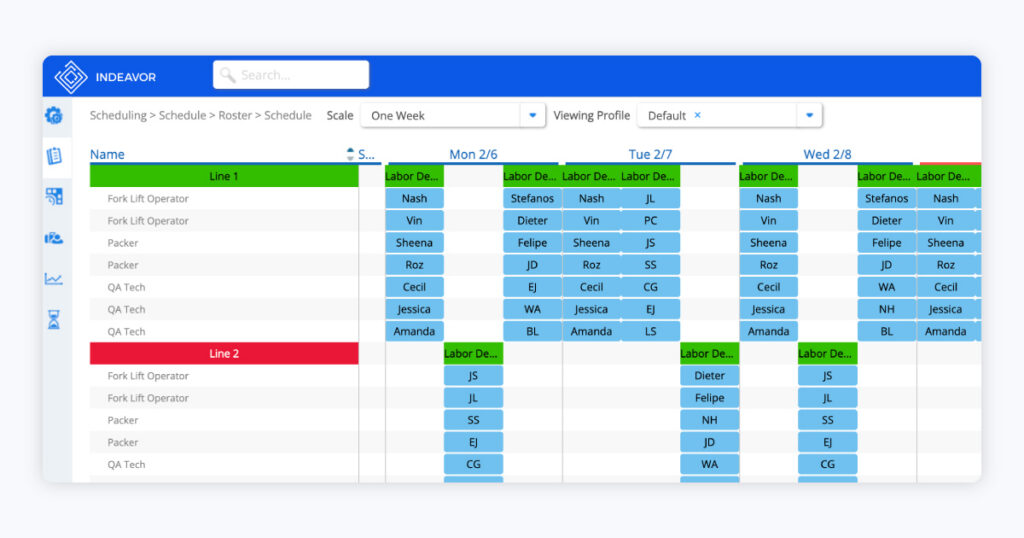
Best for: Complex, unionized 24/7 operations
Indeavor is a workforce scheduling and compliance platform purpose-built for frontline operations in manufacturing, energy, food and beverage, healthcare, and government. In industries like these, 24/7 coverage, union contracts, and multi-site complexity often leave generic HR scheduling tools falling short.
Rather than positioning itself as a full HCM replacement, Indeavor is designed to sit alongside your existing HCM and payroll systems, handling the scheduling logic that a broad suite typically treats as an afterthought. A large food processing customer, for example, consolidated multiple legacy tools, including Kronos, onto Indeavor while keeping Workday in place for HCM and payroll. Other organizations saw a 47% reduction in attrition.
That best-of-breed integration is a deliberate part of the product, not a workaround. Indeavor became available on the SAP Store in January 2025, integrating with SAP S/4HANA, SAP SuccessFactors, and SAP Timesheet. As Indeavor CEO Brandon Schwarz puts it, “By integrating with SAP, we help businesses better manage complex scheduling requirements.”
Plus, the platform’s Deterministic Optimization Engine automates rule-compliant scheduling around union contracts, seniority, and certification requirements, while Zeus, Indeavor’s supervisor workforce agent, handles the day-to-day scheduling questions, backfill, and approvals that otherwise eat into a supervisor’s week.
According to reviewers on G2, consistent strengths include ease of use, mobile accessibility, and automation that “streamlines complex processes and enhances supervisor productivity.”
Key Features:
- Automated employee scheduling with a configurable rules engine for union contracts, seniority, and 24/7 rotations
- Automatically fill open shifts through Call Out Pro, which tracks, traces, and audits the overtime call-out process to cut grievances
- Skills and certification tracking with minimum-qualification thresholds, so no shift gets an unqualified assignment
- Mobile shift management for schedule visibility, shift swaps, and job bidding from the frontline
| G2 Rating | 4.1/5 |
| Pricing | Custom enterprise quote — contact sales for details |
| Pros | Cons |
| Intuitive, easy to learn | No built-in messaging tool |
| Automates complex scheduling, reduces supervisor admin work | Advanced reporting has a bit of a learning curve at first |
| Strong mobile accessibility | Some holiday and attendance-point edge cases require manual setup |
2. Deputy
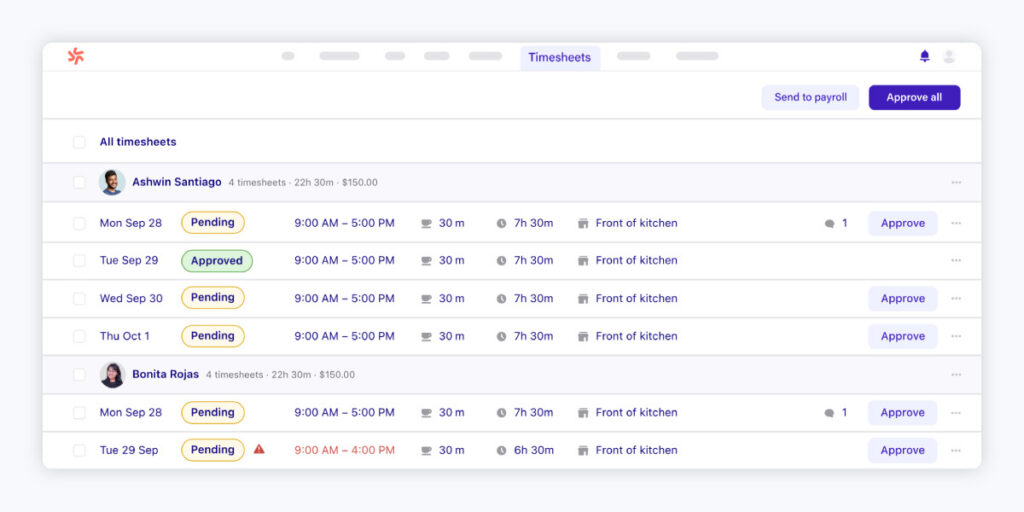
Best for: Multi-location retail, hospitality, and franchise teams
Deputy is a well-regarded scheduling and time-tracking tool built for hourly, shift-based teams, with customer logos and case studies that skew toward retail, hospitality, and light logistics chains scaling across multiple locations. It offers an enterprise and multi-location tier, so it’s not purely a single-site tool. However, that tier means more locations of the same kind of business, not more regulatory complexity.
Deputy’s automated pay-rule features cover general wage-and-hour compliance (like rest breaks and predictive-scheduling rules), but it lacks a CBA rule engine built for union shops. According to online reviews, Deputy’s ease of use keeps scheduling simple, but drawbacks include occasional app loading delays and no search features for long schedules.
Key Features:
- Multi-location and franchise-level reporting
- Mobile time clock with GPS and photo verification for clock-ins
- Wage and labor budget tracking to flag overtime before it happens
- Auto-scheduling with demand forecasting to match staffing to predicted traffic
| G2 Rating | 4.6/5 |
| Pricing | Lite: $5/user/mo · Core: $6.50/user/mo · Pro: $9/user/mo · ($30/mo minimum spend per invoice) · Larger/custom needs go through Deputy’s “Flexible Weekly Plan,” contact for quote) |
| Pros | Cons |
| Convenient mobile app for staff | Occasional app loading delays affecting clock-ins |
| Simple, reliable shift and time-off management | Long schedules are tedious to navigate, no search feature |
| Extremely user-friendly, minimal training needed | No support for union rules, seniority bidding, or certification-gated shifts |
3. When I Work
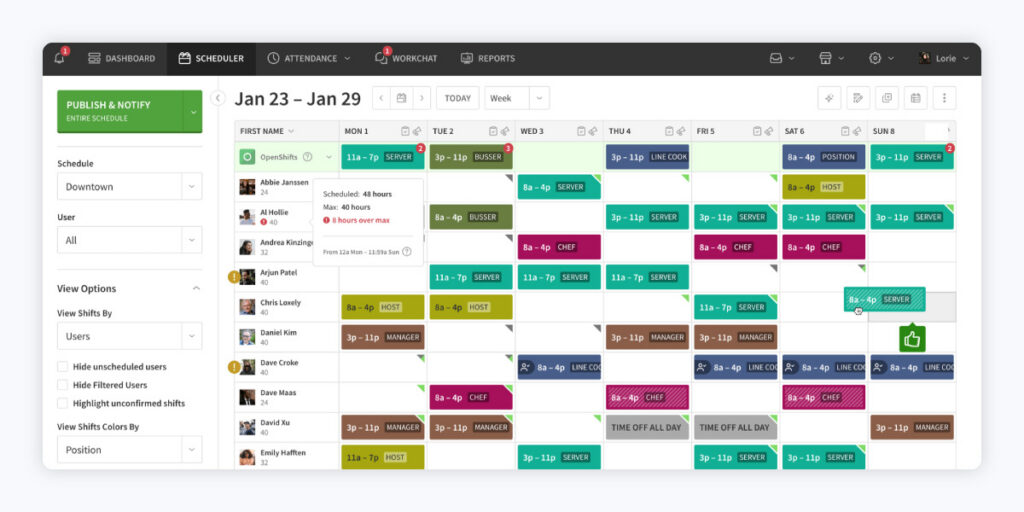
Best for: SMB shift-based teams in retail, restaurants, and hospitality
When I Work is well-suited for hourly, rotating-schedule staff at small and mid-size shift-based businesses. Customer stories run from breweries and fitness studios to franchise locations and dental-office chains.
All three pricing tiers land under $10 per user per month, reflecting that same self-serve, SMB positioning. Top-tier features are API access, webhooks, and single sign-on, but there are no rule engines for regulated scheduling.
Some reviewers highlighted ease of use and mobile shift swaps as consistent strengths, but others encountered issues with mobile app instability and limited scheduling customization.
Key Features:
- Payroll integrations to simplify payroll export
- Built-in team messaging alongside scheduling
- Role-based permissions and custom reporting on higher tiers
- Shift swapping and time-off requests employees can manage from their phone
| G2 Rating | 4.4/5 |
| Pricing | Essentials: $2.50/user/mo; Pro: $5/user/mo; Premium: $8/user/mo |
| Pros | Cons |
| Intuitive interface, low training lift | Mobile app crashes and inconsistent notifications |
| Built-in messaging and payroll integrations | Limited customization for business-specific shift types |
| Convenient mobile shift swaps and schedule access | Weak reporting and few native integrations beyond payroll |
4. Homebase
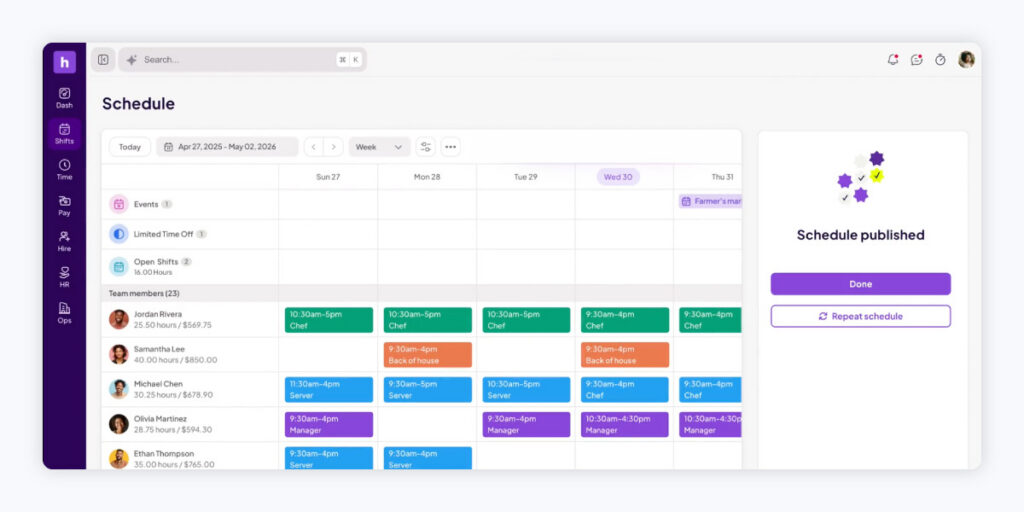
Best for: Small, single- or few-location hourly businesses
Homebase is explicitly built for hourly teams working at small businesses. Think food and beverage, retail, beauty and wellness, and medical or veterinary practices. Its pricing is billed per location, which reinforces its aim for single-location or small multi-location operators rather than a unified enterprise deployment. Its flagship growth story, a 1,500-employee entertainment chain that scaled from 16 to 60-plus locations, is still a services business with shift-based hourly staff, not an industrial or union operation.
Homebase’s feature pages, pricing page, and customer case studies make no mention of union rules, seniority-based bidding, certification tracking tied to scheduling eligibility, or fatigue and safety compliance limits. Furthermore, its top-tier “HR & compliance” feature reads as general labor-law guidance for small employers, not a CBA or fatigue-rule engine.
Looking at Capterra reviews, the all-in-one Homebase platform is praised for its ease of use. However, friction may arise with multi-location scheduling, and some features are gated behind higher price tiers.
Key Features:
- Time tracking and payroll in the same platform
- POS-linked scheduling and labor-cost forecasting
- Shift swaps and open-shift posting for employee self-service
- AI-assisted auto-scheduling with drag-and-drop shift building
| G2 Rating | 4.6/5 |
| Pricing | Free for up to 10 employees/1 location. Essentials: $30/mo; Plus: $70/mo; All-in-One: $120/mo (per location) |
| Pros | Cons |
| Responsive customer support | Occasional sync delays and app glitches |
| Intuitive interface, easy to set up | Extra fees and friction tracking hours across multiple locations |
| All-in-one scheduling, time tracking, and payroll | Advanced features like overtime calculations gated to higher tiers |
5. 7shifts
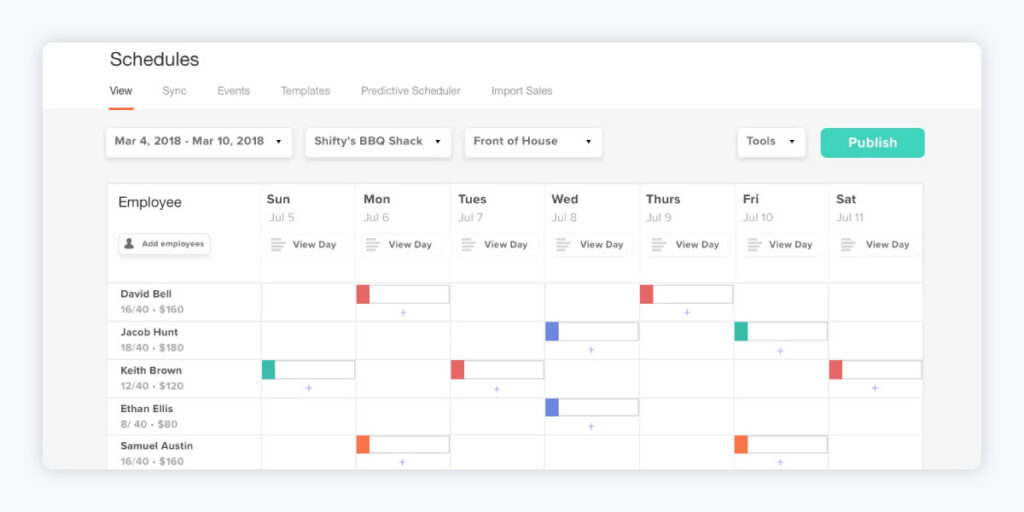
Best for: Restaurants specifically, from QSR to full-service
7shifts is built for restaurants, covering QSR, full-service, cafes, bars, breweries, and franchises. Pricing is billed per restaurant location rather than structured as an enterprise, multi-industry deployment.
The labor-compliance features of 7shifts are scoped to restaurant labor law, predictive scheduling and fair workweek rules, meal and rest breaks, and overtime alerts. They’re not a great fit for industrial fatigue management or union contract enforcement, as none of the feature pages, help-center articles, or reviews reference collective bargaining, seniority-based bidding, or certification tracking tied to scheduling eligibility.
7shifts has Capterra reviewers praising its built-in team messaging and easy shift swaps, but common obstacles include slow loading, unexpected logouts, and occasional geolocation inaccuracy on time-clock punches.
Key Features:
- Built-in team messaging and announcements
- Tip management and labor-compliance alerts
- POS integrations for restaurant-specific workflows
- Shift swapping and time-off requests with manager approval
| G2 Rating | 4.5/5 |
| Pricing | Free for up to 15 employees/1 location. Essentials: $44.99/location/mo ($39.99 annual), up to 30 employees. Pro: $89.99/location/mo ($79.99 annual), up to 60 employees. Premium: $149.99/location/mo ($134.99 annual), unlimited employees, +$6/employee/mo if using 7shifts Payroll. (Annual billing saves 10%) |
| Pros | Cons |
| Fast time clock for restaurant workflows | Confusing, occasionally buggy scheduling display |
| Easy shift swapping and strong POS integrations | No support for union rules or certification-gated shifts |
| Built-in messaging streamlines shift-level communication | Slow loading, unexpected logouts, and server crashes |
6. Sling
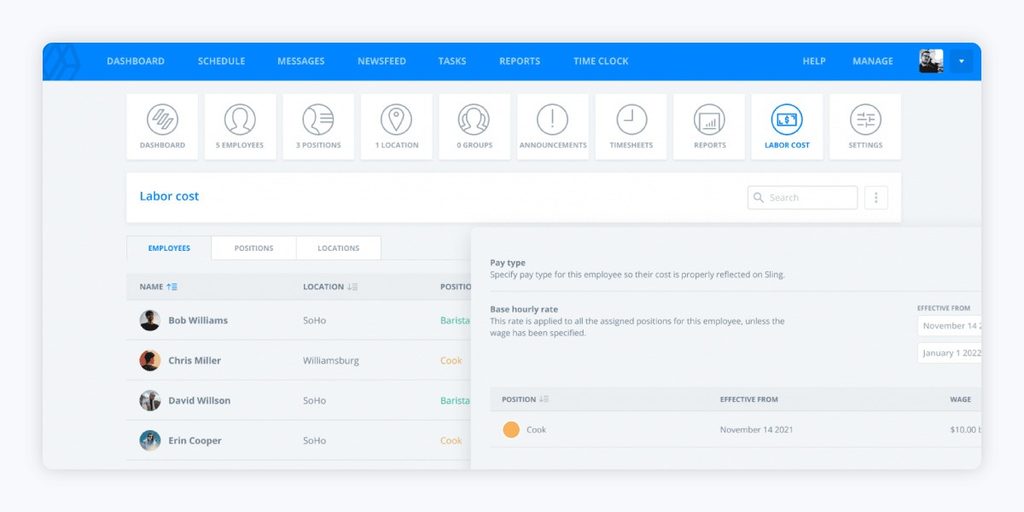
Best for: Small-to-medium hourly businesses across many industries
Sling is an affordable scheduling tool for small-to-medium businesses across restaurants, retail, events, and small logistics or fitness operations. Ultimately, compliance responsibility stays with the user. The compliance tooling is generic and self-service, with reminders to help stay within local rest-period and overtime regulations.
Sling reviewers on Capterra highlight the intuitive drag-and-drop scheduling and affordability, but also claim the tool is plagued by notification bugs and has limited customization for specialized scheduling needs.
Key Features:
- Free tier for teams up to 30 users
- Calendar sync and kiosk time clock
- Mobile time tracking and labor-cost tracking on paid tiers
- Drag-and-drop scheduling with shift swaps and time-off requests
| G2 Rating | 4.4/5 |
| Pricing | Free for up to 30 users; Premium: $2/user/mo; Business: $4/user/mo |
| Pros | Cons |
| Convenient mobile shift swaps | Cost scales per employee as teams grow |
| Free tier available for small teams | Notification bugs and occasional missed shift alerts |
| Easy to navigate, affordable pricing | Limited customization for specialized scheduling needs |
7. Connecteam
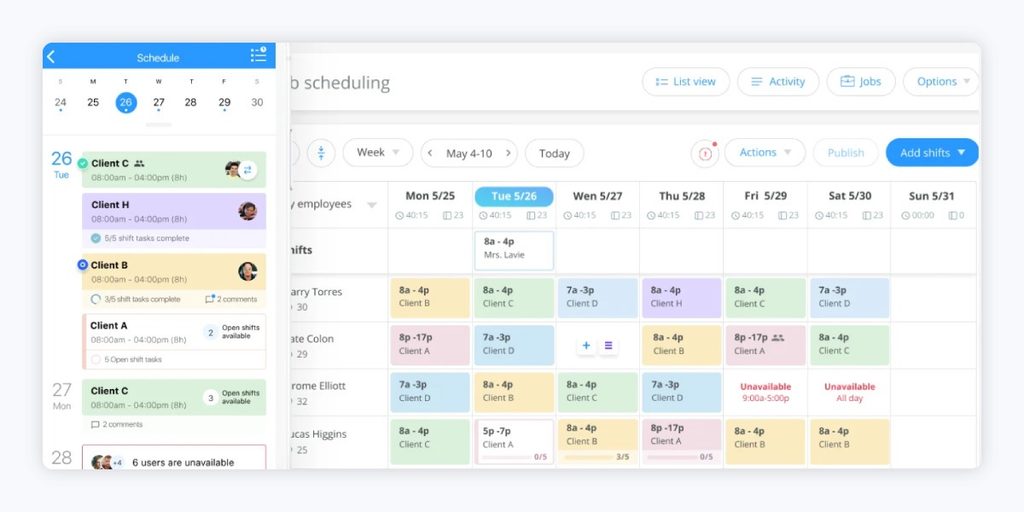
Best for: SMB and mid-market deskless workforce communication
Connecteam is built for small-to-midsize businesses with deskless, frontline, or mobile workers, construction crews, retail teams, and home-service businesses. It aims to unify communication, time tracking, tasks, and basic scheduling into a single mobile app.
G2’s own feature taxonomy for Connecteam lists only generic compliance and skills-management categories, with no granular certification module, no fatigue or hours-of-service rule engine, and no CBA logic. Reviewers specifically flag scheduling as one of the platform’s weaker areas, as there is no way to set a permanent recurring schedule. This means shifts have to be repeatedly recreated, which runs counter to the rules-engine sophistication complex 24/7 operations need.
On Capterra, Connecteam reviewers praise its all-in-one mobile platform and responsive support, but cite rigid scheduling and integration gaps as drawbacks.
Key Features:
- Basic compliance and skills-management tracking
- Onboarding and training modules alongside scheduling
- Free plan for small teams, sized up through an enterprise tier
- Unified mobile hub for scheduling, time tracking, tasks, and team chat
| G2 Rating | 4.6/5 |
| Pricing | Custom quote for enterprise |
| Pros | Cons |
| Affordable, with a usable free tier | No way to set a permanent recurring schedule |
| All-in-one, easy-to-use mobile platform | Modules feel siloed as teams and locations scale |
| Strong customer support and fast onboarding | Integration gaps, including with some payroll providers |
8. Humanity (TCP)
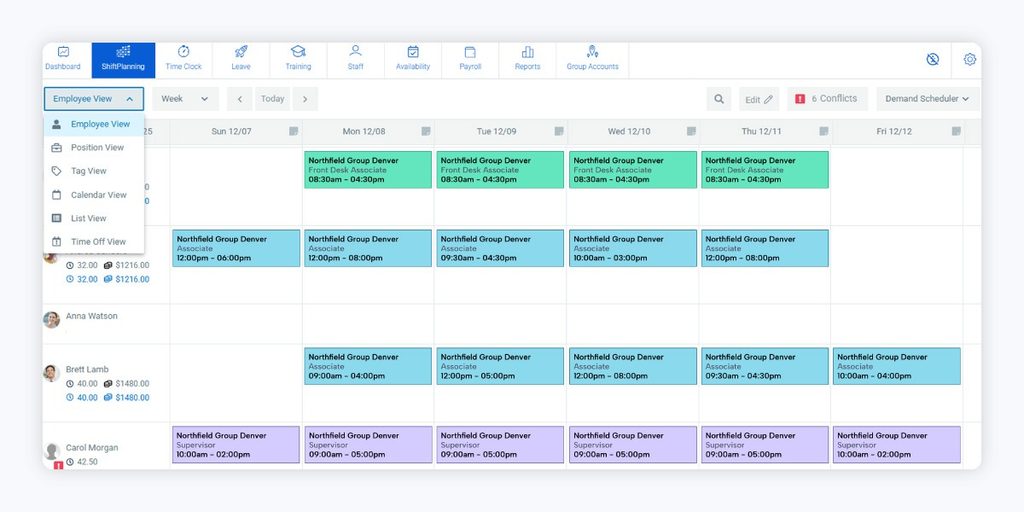
Best for: Broad horizontal use with basic compliance and certification tracking
Humanity’s professional tier includes tracking for skills, licenses, and certifications. The platform also checks schedules for compliance twith labor laws, internal policies, and collective bargaining agreements.
However, Humanity’s depth stops short of what complex 24/7 operations need. There’s no visible rule-builder for wage grades or grievance-triggering violations, no seniority-based shift bidding, and no dedicated fatigue-management feature beyond standard overtime and rest-break automation. Its reviewer base and case studies skew toward small business, healthcare, and retail rather than heavy industrial operations.
According to reviewers on G2, Humanity has an intuitive interface and mobile app, but scheduling bugs and payroll integration gaps are the most common drawbacks.
Key Features:
- Labor cost and budget reporting
- Auto-fill and demand-based scheduling
- Skills, license, and certification tracking on the Professional tier
- Compliance checks against labor laws and collective bargaining agreements
| G2 Rating | 4.3/5 |
| Pricing | Custom quote for enterprise |
| Pros | Cons |
| Responsive customer support | Scheduling bugs, including disappearing shifts |
| Intuitive interface, strong mobile app | Payroll integration gaps require manual workarounds |
| Certification tracking built into scheduling | No seniority-bidding logic, and compliance checks lack configurable depth |
How to Choose the Best UKG Alternative for Complex Frontline Scheduling Needs
There are certain key workforce management platform traits that matter for complex, unionized, 24/7 operations, but picking a UKG alternative for complex frontline scheduling is a different exercise than, say, picking a new scheduling app. Before comparing feature lists, run every option on your shortlist through a few questions:
- Does the platform have a real union rules engine, not just a mention of collective bargaining agreements? Seniority-based bidding, grievance-triggering shift assignments, and multi-craft rotation logic are the details that separate a scheduling specialist from a checkbox feature.
- Can the platform handle true 24/7, multi-site coverage? Tools built for retail and restaurant shifts are excellent at hourly scheduling for a single location or a small chain, but that’s a different problem than round-the-clock industrial coverage across shifts and sites.
- Does the vendor expect you to replace UKG, or work alongside it? If a platform’s answer to complex scheduling requires giving up the HCM and payroll systems you already rely on, that’s a sign the switching cost may outweigh the benefit. Pairing a specialist with the UKG you keep is usually the lower-friction path.
- Does the tool track certifications and qualifications as a scheduling rule, not just a record? Some tools log skills and licenses, but few actually block an unqualified assignment from being scheduled in the first place.
Once you’ve filtered for comprehensive scheduling depth, the shortlist usually comes down to this: keep UKG for HR, payroll, and benefits, and pair it with a specialist built specifically for the scheduling problem. That’s the need Indeavor is built to meet.
Find Out How Indeavor Supports Complex Frontline Scheduling
Most of the platforms on this list are strong tools for hourly, shift-based teams, restaurants, retail, and small multi-location businesses. However, Indeavor stands out as the choice for the union contracts, certification-gated shifts, and 24/7 industrial coverage that make UKG’s own scheduling module fall short for complex frontline operations.
Indeavor’s complex scheduling integrations connect with the HCM, ERP, and payroll systems that top manufacturing, energy, food and beverage, and government organizations already run, so you keep your existing HR investment and get scheduling that’s actually built for the complexity you’re managing.
If complex frontline scheduling is the actual bottleneck, take a look at what Indeavor can help you accomplish alongside the systems you already have.
UKG Complex Scheduling Alternatives FAQ
What should I look for in a UKG alternative if my workforce is unionized?
Look for a native rules engine that automatically enforces seniority-based bidding, grievance-sensitive shift assignment, and contract-specific overtime rules, not a general scheduling tool with union rules bolted on as a configuration option.
How much does it typically cost to switch off UKG to another platform?
Most enterprise-grade scheduling specialists use custom, quote-based pricing rather than published rates, and total switching cost depends heavily on employee count, module scope, and data migration complexity.
Be aware that implementation for complex, 24/7 scheduling deployments commonly takes six months to over a year. Consider migration and parallel-run time as you build your budget, beyond just the price of the software.
Is there a UKG alternative built specifically for manufacturing or industrial operations?
Indeavor is one of the UKG competitors with the strongest ties to complex manufacturing operations.
Is UKG now Kronos?
Not exactly. Kronos and Ultimate Software merged on April 1, 2020, to form UKG, short for Ultimate Kronos Group. Kronos no longer exists as a standalone company, but its scheduling and time-and-attendance technology carries forward within UKG’s product line, most visibly in UKG Ready.
Share this post